Architexa product is an Eclipse plugin from Architexa.com company. As their web site say:
Architexa helps you understand and document large/complex Java code bases within Eclipse
and allowing to create and explore diagrams that make sense.

I have tried it really little but the conclusions are clear: Architexa is a tool with a great potential.
Installation
Installing Architexa is really easy because it is prepared as any other Eclipse plugin (see the install section).
I’m using Eclipse 4.2 (Juno) and the steps were:
- Go to
Help > Install new softwareand add a new place called architexa with the URL:http://update.architexa.com/4.2/client.
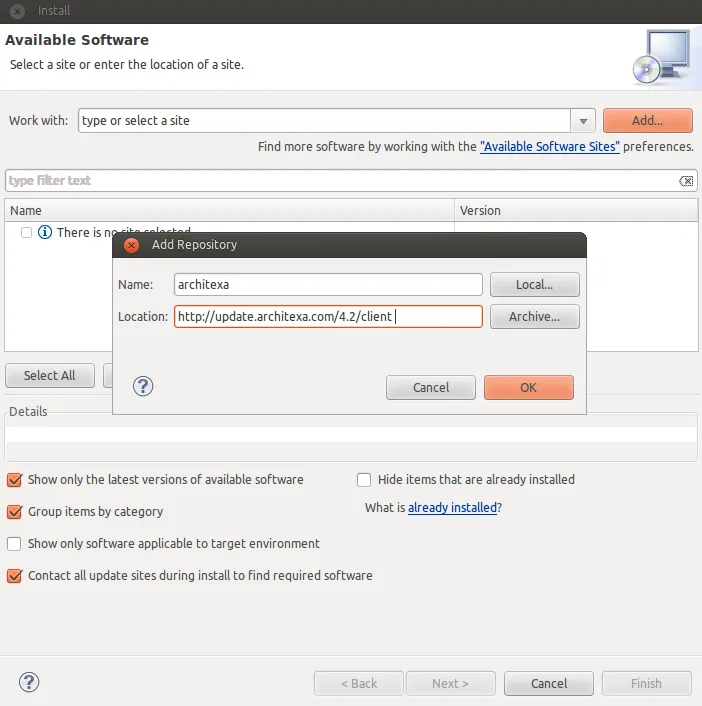
- Select the Architexa plugin and click next button until installation is done.
Really easy, don’t you?
After Eclipse restarts you will be asked for a valid Architexa user. Go to the registration page and register for a free license. That’s all.
Exploring a project
To test Architexa I have opened a relatively small maven project, which allows to download files from an FTP server. It haven’t a great domain model neither thousand of classes but has all the necessary to test the basic Architexa capabilities.
- Layered diagrams
- Class diagrams
- Sequence diagrams
The bad
Before to continue, I must say Architexa seems to me a product with a great potential, but on the other hand it leaves me with bad feelings.
I prefer to comment all the bad things first so the good things comes later and the reader was left with a good feeling.
- The Architexta web site is IMO horrible and much more the personal area of each user (http://my.architexa.com/). In addition it seems not much stable, at least for me the profile and setting sections fails with a 500 server error.
- Once Architexa is installed it needs to build an index from your code. Initially I don’t built the index (when the tool ask me to do it) and after importing the project and building it by hand, it seems not work properly. For some reason my index was corrupted and I need to remove and import the project a couple of times before it woks.
- The layered, class and sequence diagrams are powerful tools but the way to explore and navigate could be a bit more intuitive. In addition the shapes and colors used could be improved.
As you can see the bad things are almost all related to design and visual aspects, not to the product functionality. Nothing a good web designer can solve.
My opinion for Architexa guys is: Architexa is a great product so make it looks like a great product.
Working with the diagrams
Because the project is a small the most useful diagrams has been the class and sequence diagrams.
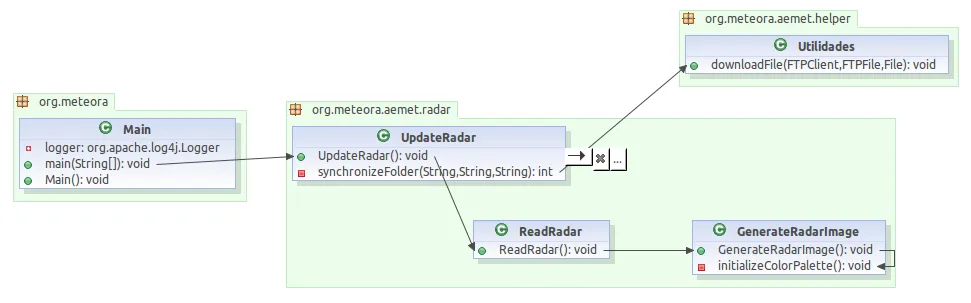
In the case of class diagram I added some classes related to the task to download and read radar files. Once a class is added to the diagram you can make actions like:
- select which methods can be visible in the diagram
- navigate from a method to other classes (show called method)
- show which classes references a method (show calling method)
Thanks to this actions you can explore the classes and its dependencies in both directions.
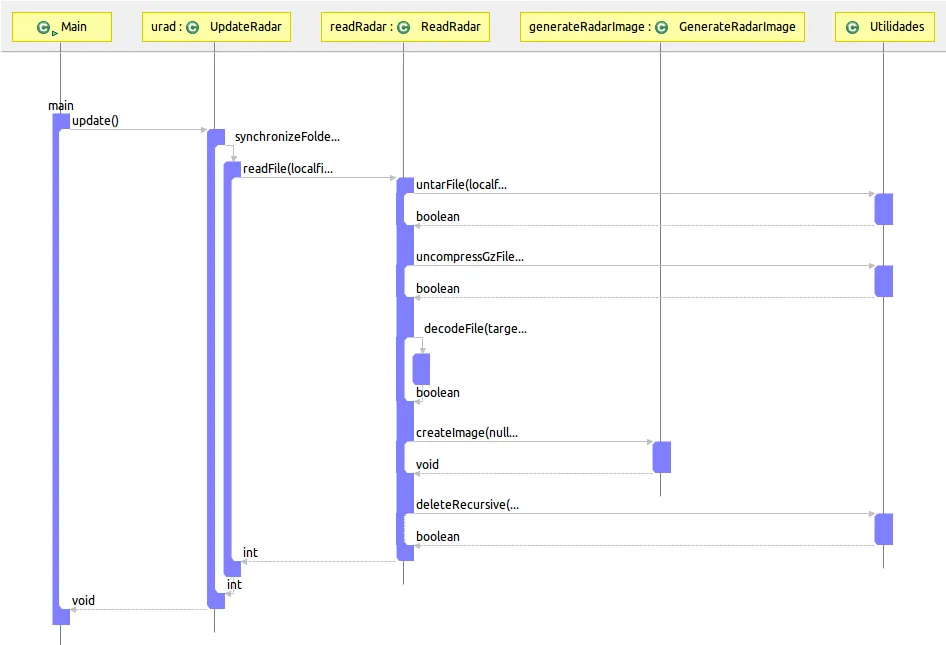
The sequence diagram works in a similar way, you start adding a class or method and, for example, given a method add all the used methods from the same class or from other classes:
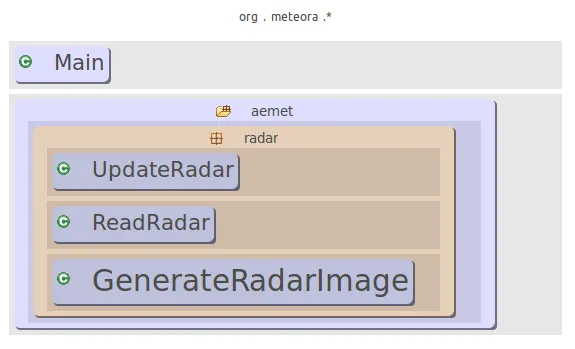
Finally, in the layered diagram I have added some classes to see its dependencies. Easily we can see the classes and the packages they belong to.
In addition, on any diagram you can select a class or method and navigate directly to the source code to see the corresponding lines of code.
Conclusions
As I commented previously Architexa is a tool with a great potential. It can help team members to understand better how code works or documenting processes.
As a future features I would like to suggest its integration with the debugger. First the possibility to highlight the current executed method on the class or sequence diagram. Second, the possibility to allow to create a diagram step by step while debugging, that is, selecting which methods or classes we want to add to the sequence diagram while advancing step by step in the code.
Congratulations to the Architexa team for their product !!!